 MockMock
GCSE maths and post-16 resits
More grade 4s.
Less workload.
Raise GCSE maths results at your college with one platform. Keep your students engaged, see progress on every learning objective across your team, and act where it matters.
Every mock, test, quiz and piece of homework becomes question-level feedback the same day. You see exactly where the gaps are, with the next step one click away. Built by a working maths teacher.
The right view for each person
Everyone sees what is happening, with the next step built in.
Your students
Every topic with its grade, mock score, best quiz and what their teacher has seen. A lesson, then a quiz, on any topic, with homework and comments waiting on their home page.
Your teachers
See today's class on today's topic: mock, progress test, starters, homework and quiz side by side. Set homework to the whole class, a few students or everyone under 50%.
Department head
See every student by topic, filtered by class, prior grade or teacher. Focused analytics, for example November resit, geometry, for Health & Social Care. Spot the learning objectives easiest to secure across the year group, and set department homework centrally.
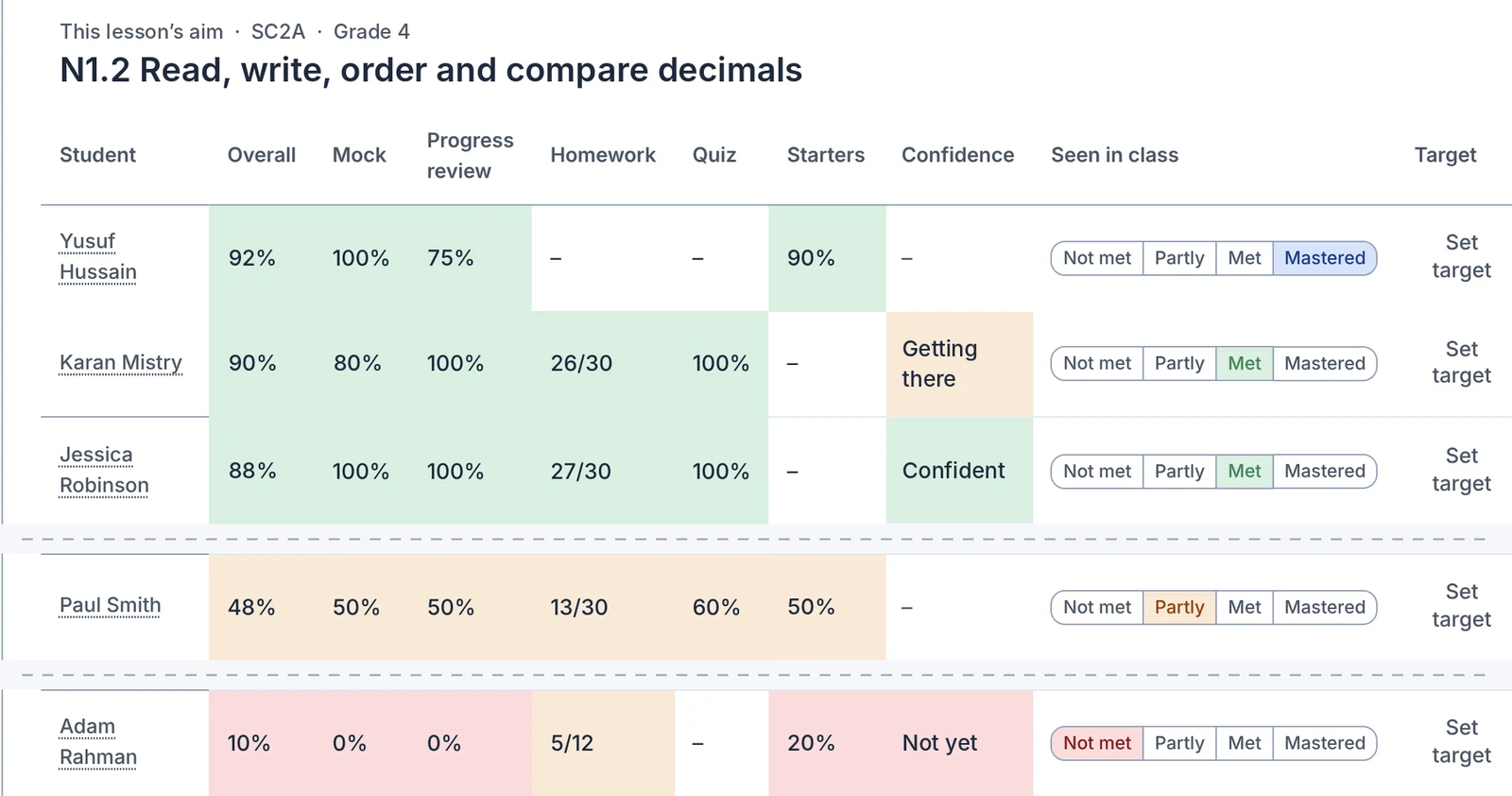
Teacher: this lesson's aim, every source of evidence side by side.
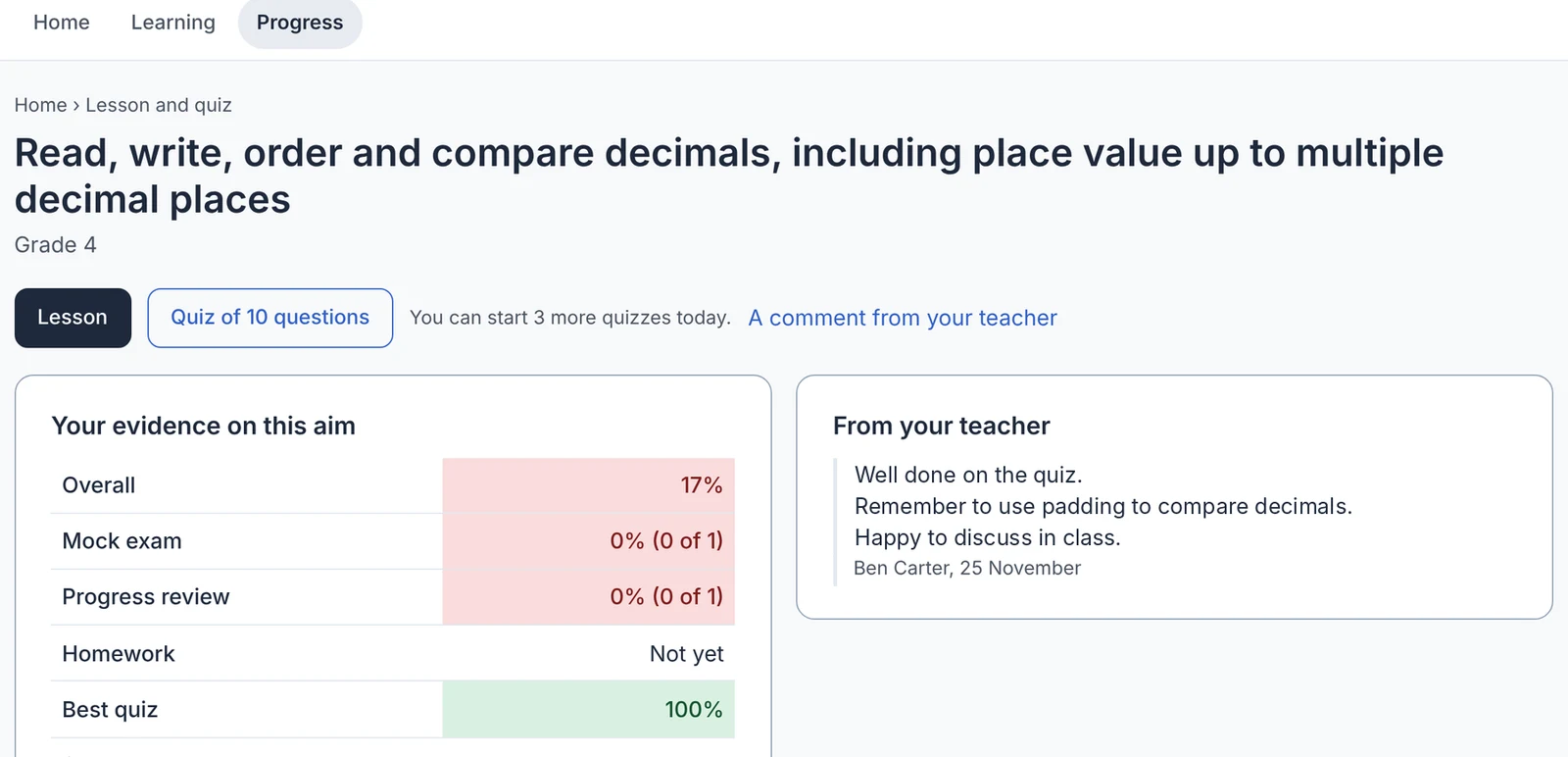
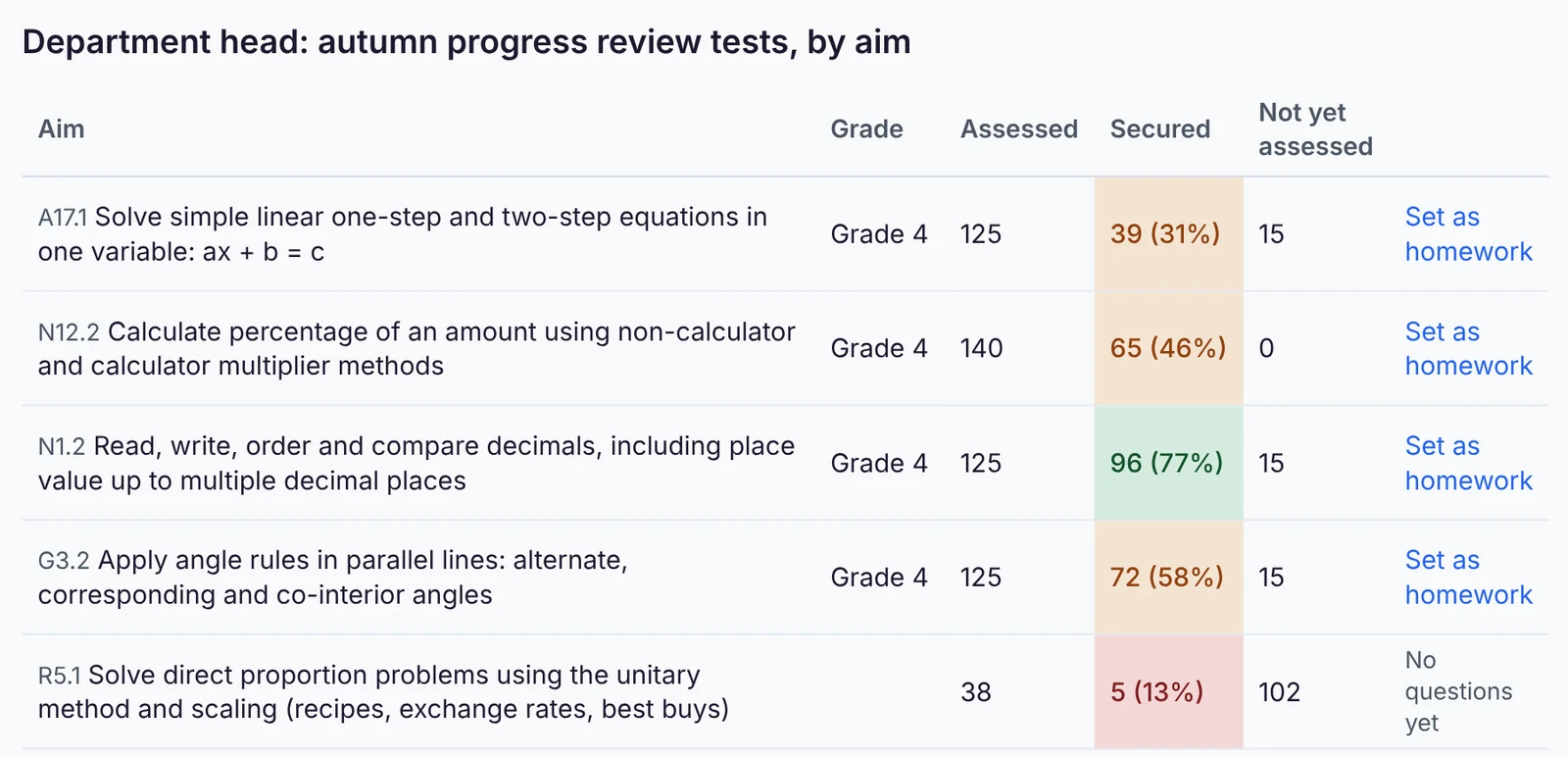
It runs in your browser on sample data. Nothing you do is saved or sent anywhere.
See every gap. Act the same day.
Feedback the same day
Students enter their own marks by phone, or teachers tap them in. You get question-level analysis and grades at once, not weeks later.
Close the gaps
Every red topic links to a lesson, a quiz or homework. Your teachers set it to just the students who need it, in one click.
Evidence of impact
You see which students, which topics, what your teachers did and whether it worked, mock after mock, across every class.
Mock data captured on the day teachers give feedback
Students scan a QR code, sign in with Microsoft or a one-time PIN, and tap a mark per question. Your teachers watch the class fill in live, then check and approve every mark before it counts. Each student then gets a report with a lesson and quiz on every question.

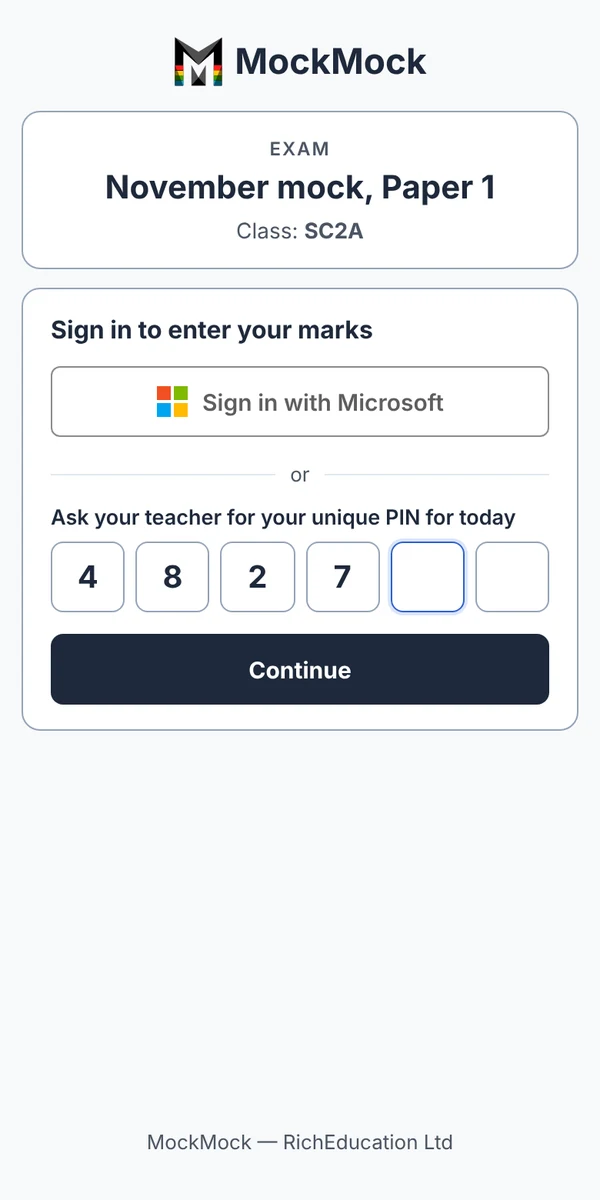
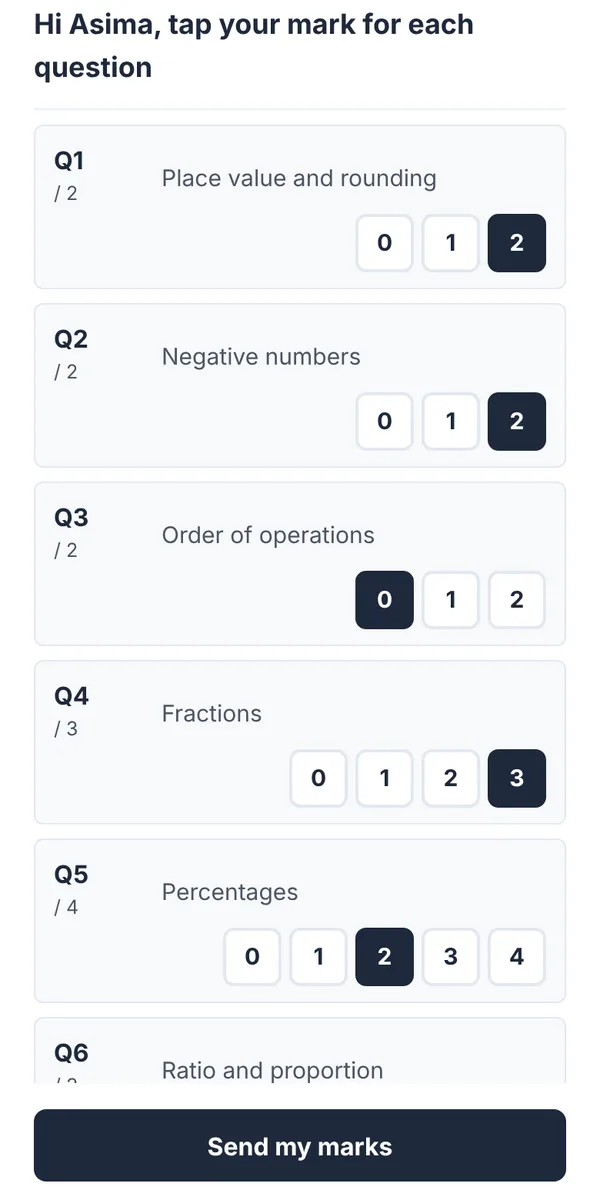
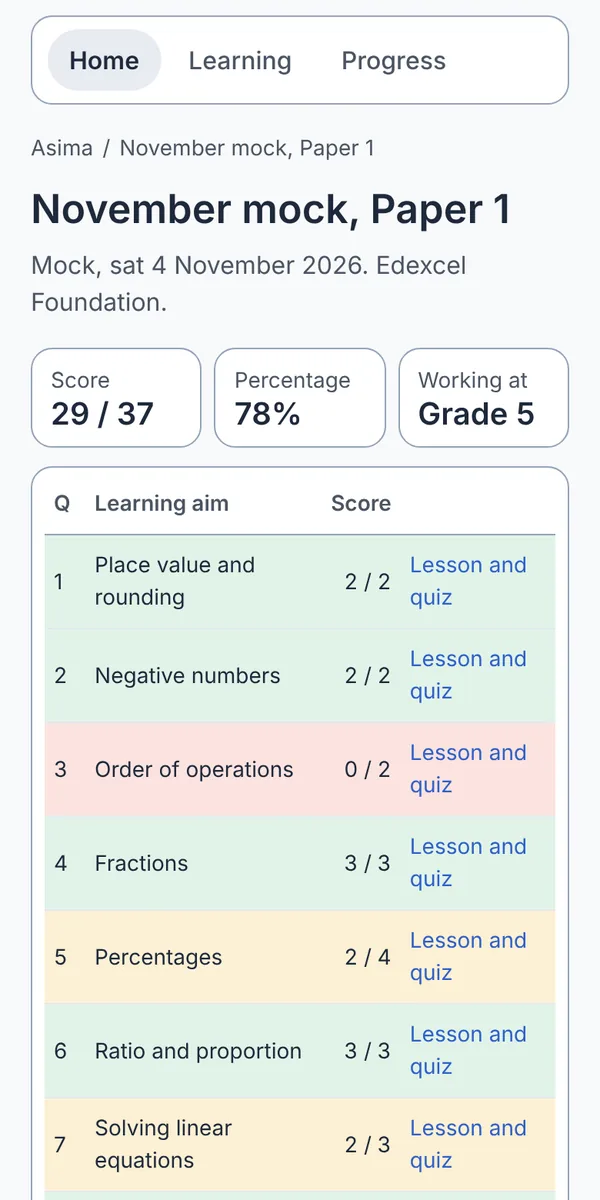
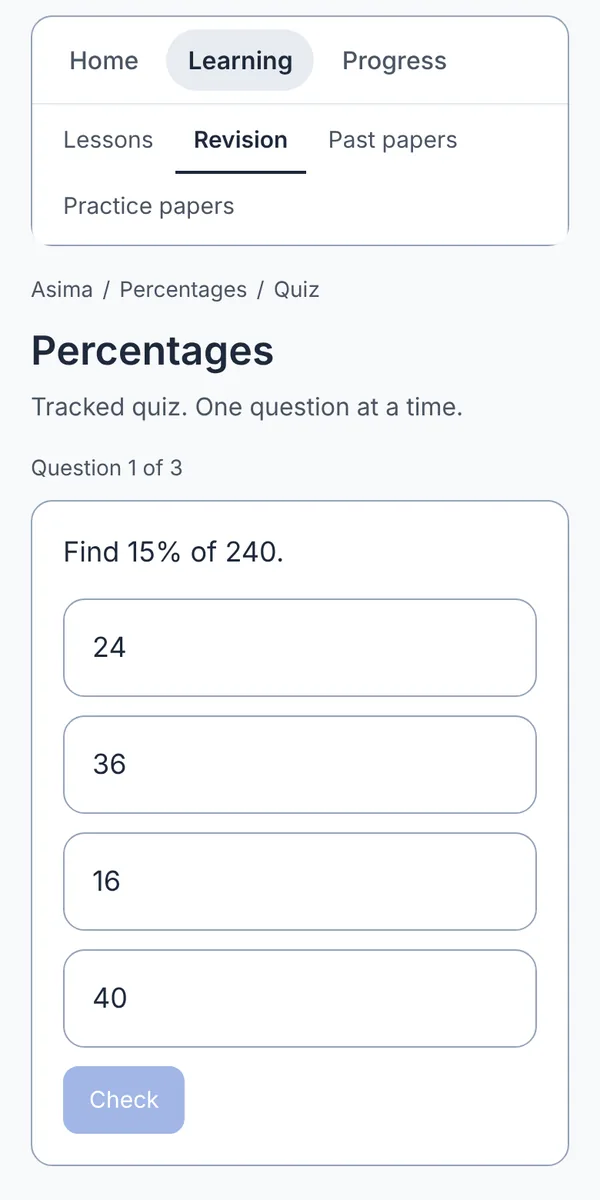
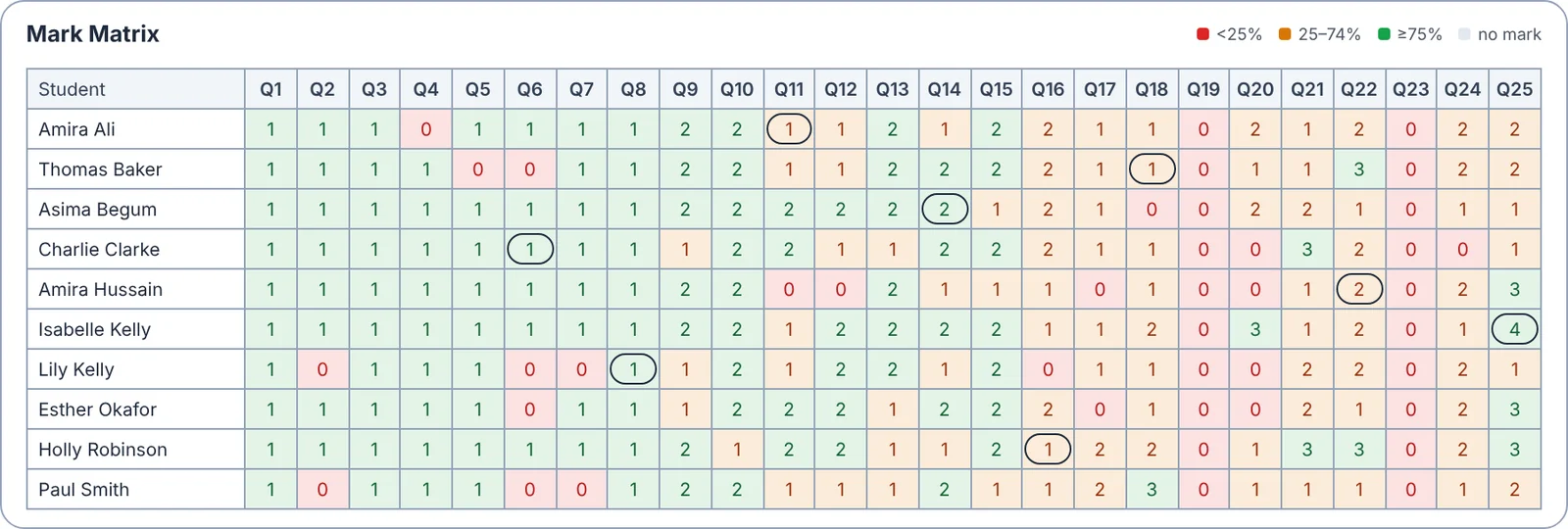
Your teachers stay in control. MockMock asks them to check and approve every mark before it counts.
Less workload: what comes off your teachers' desks
- Mock spreadsheetsStudents enter their marks and the analysis is automatic. Or your teachers easily enter scores in our app while they mark.
- MarkingQuizzes, starters and homework mark themselves, with scores recorded instantly.
- Setting homeworkOne click, to just the students who need it, or tee up the whole year linked to your scheme in a few clicks.
- Recording what you see in classMark a learning objective as seen on the spot: not met, partly met, met or mastered.
- Cover and papersA print-ready lesson pack in one click, a paper built from the bank, and ready-to-go worksheets. Or build your own.
Built in. No extra subscriptions.
Independent study
Lessons, quizzes, and past and practice papers with worked solutions, for every GCSE topic. Students rate their confidence and watch red topics turn green.
Cover lessons in one click
Print one PDF for any topic: slides, a worked guide, two worksheets and the answers.
A department forum
Post a teaching idea and the scores that show it landed. Colleagues reply and vote up the best, so good practice spreads across every site.
Ready-made resources, with the answers
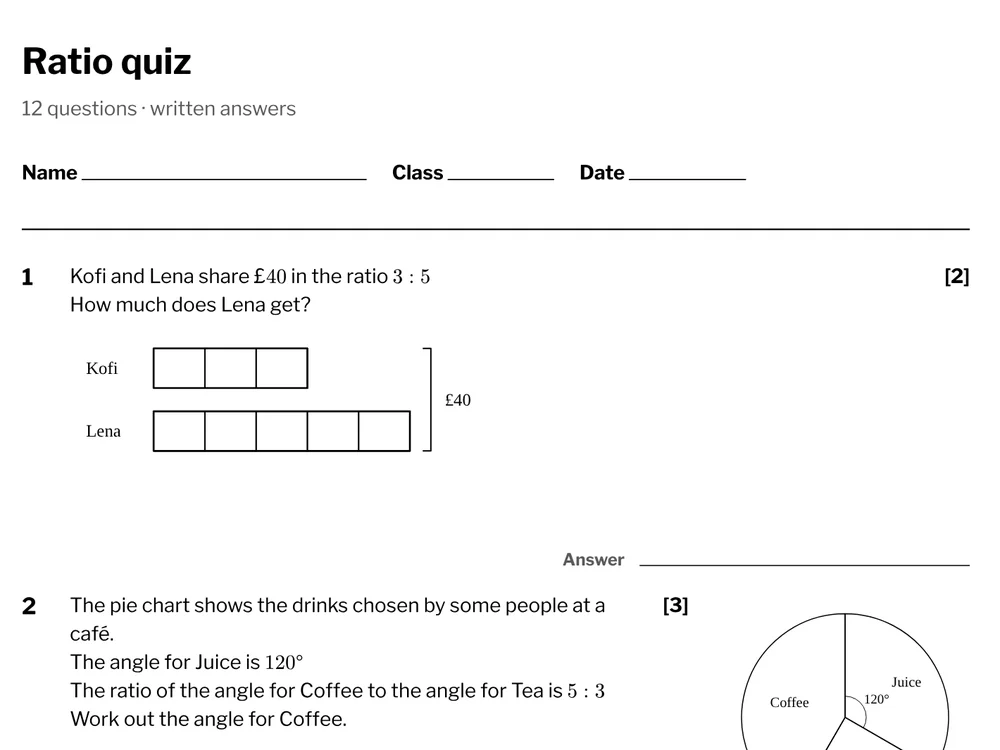
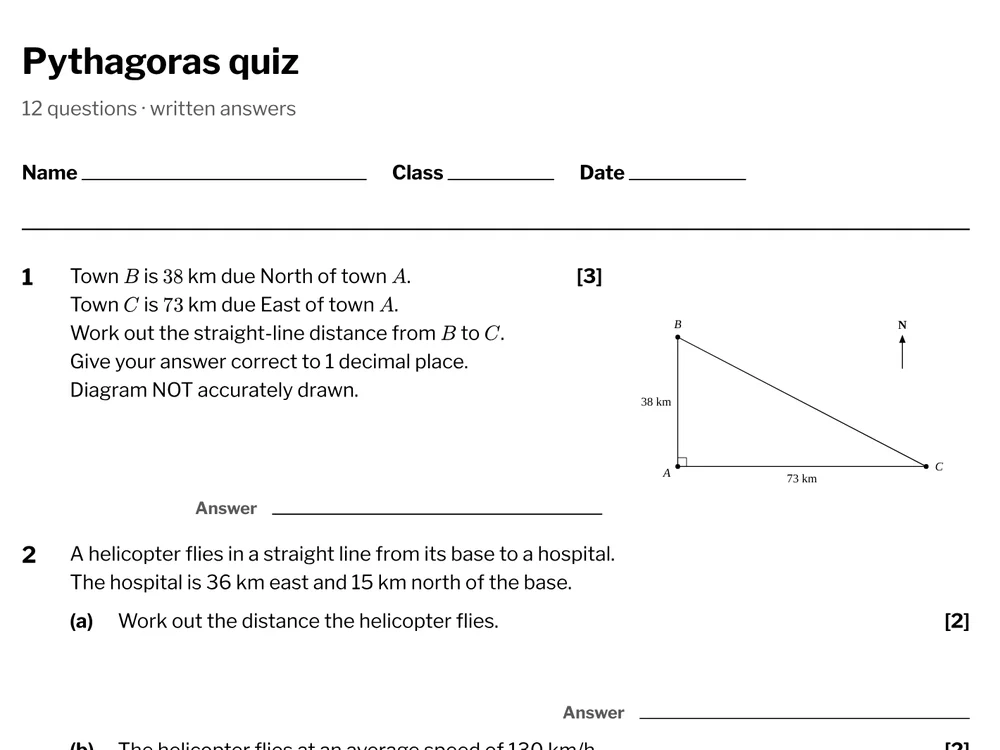
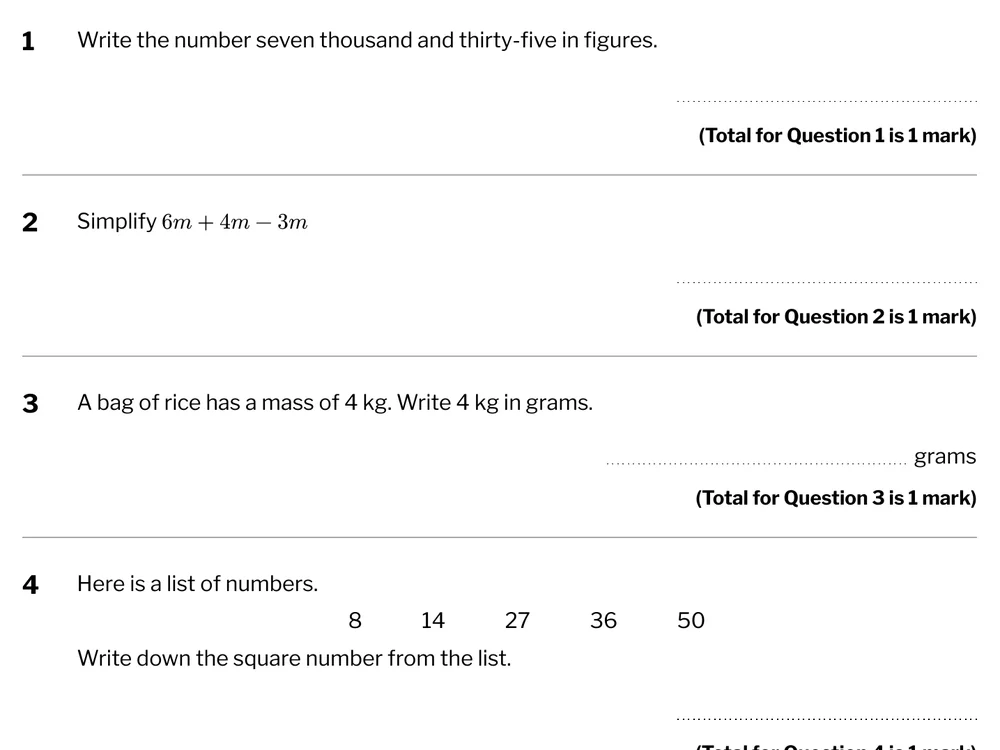
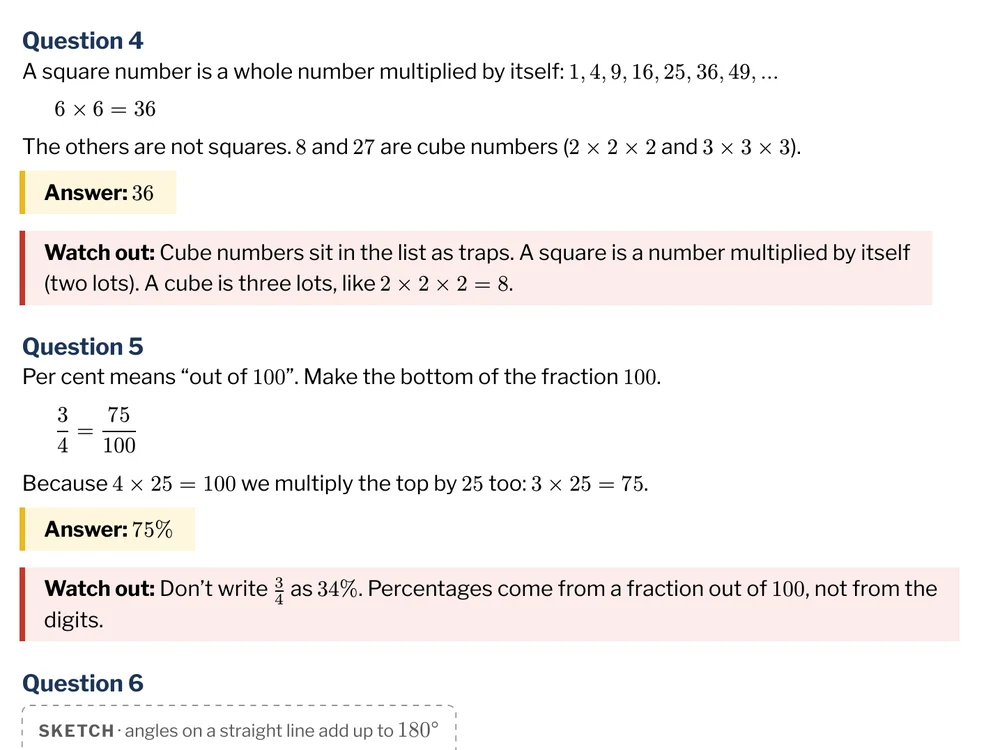
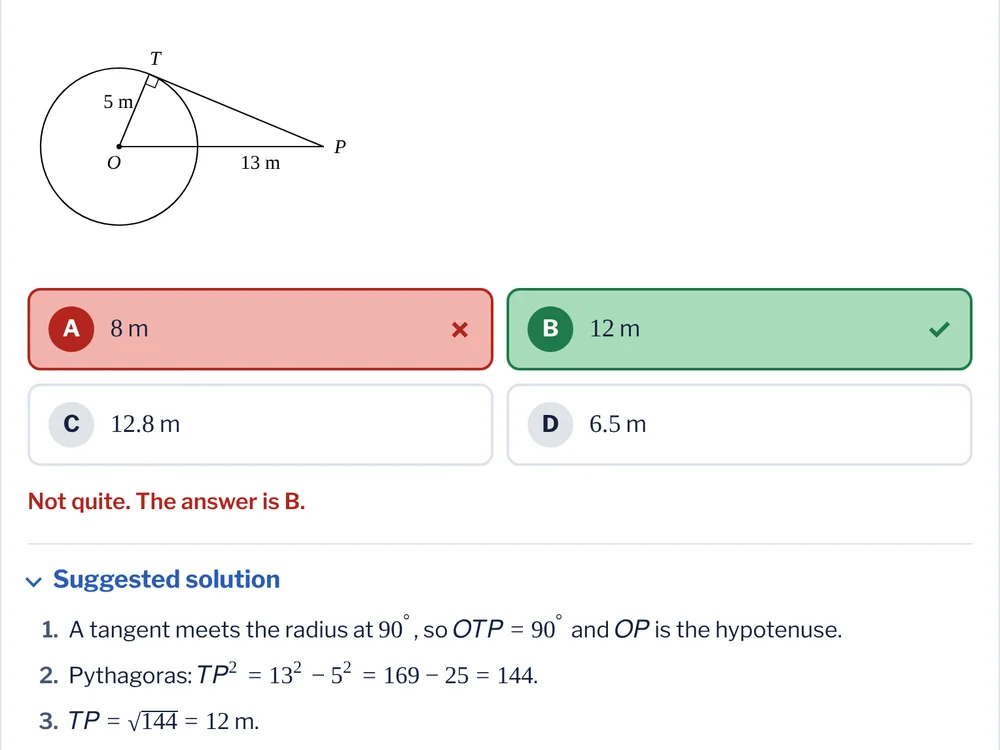
Worksheets with answers, practice papers with worked solutions, and multiple-choice quizzes with a suggested solution for every question. A sample:
Worksheets
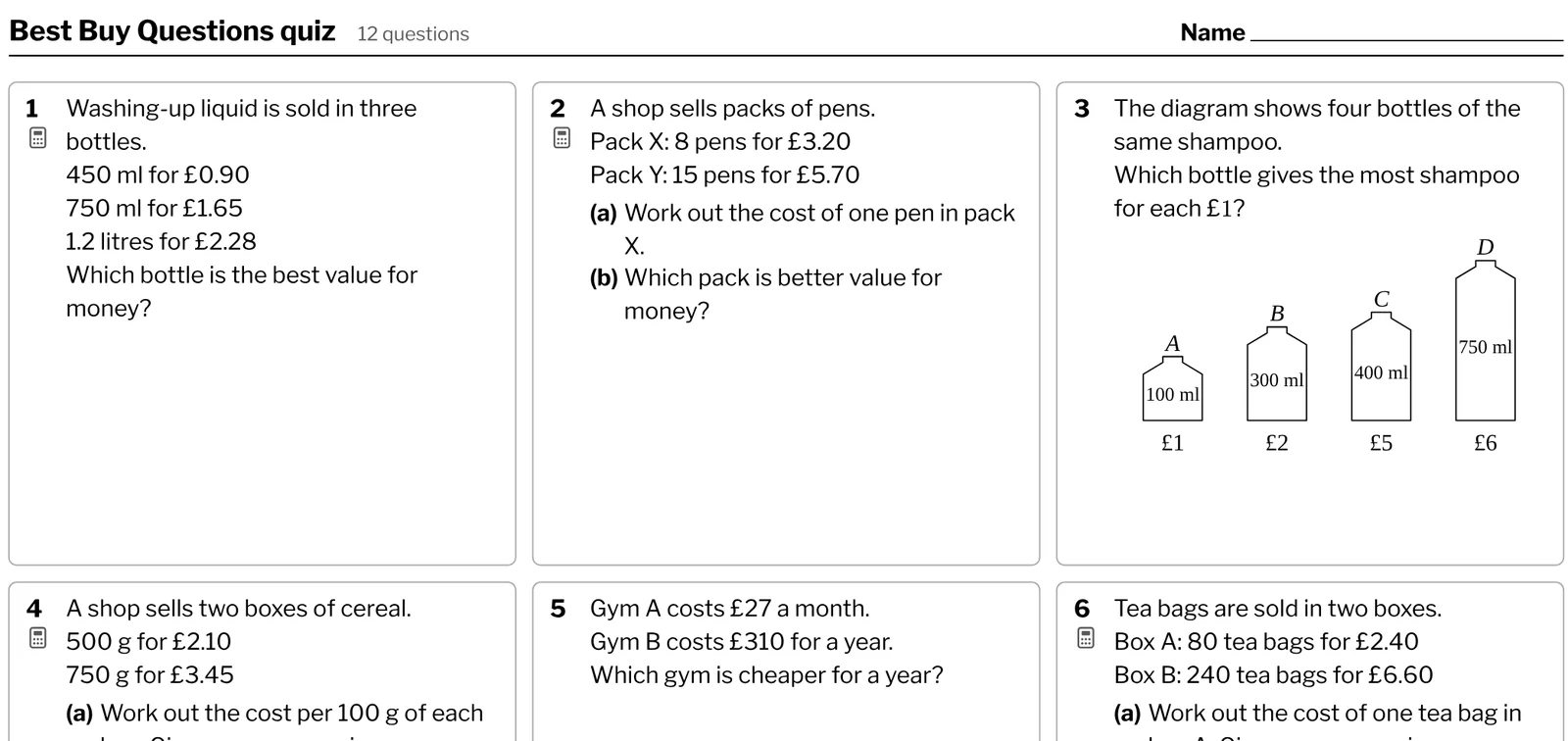
Practice papers, worked solutions and quizzes
Questions to ask us
What difference will it make?
You get feedback and data as soon as your teachers have marked the mock, not weeks later. Every topic is tracked day in, day out, and mock by mock, so you see which gaps closed and for whom.
How is student data protected?
GDPR compliant, DPIA available. Your department's data sits in its own separate database. Your staff see only what their role allows, and every access to a student record is logged.
Does it use AI?
Not in the app. Many students are pushing back on learning through AI chatbots, and MockMock keeps learning between students and their teachers. AI does not process your data or control any interaction, and never trains on it. We wrote our question bank with AI assistance. Teachers validated it, and working teachers road test it.
How long does setup take?
We take care of onboarding for you: we import your class lists and set up your staff. Or follow a few simple steps in the app yourself. Nothing to install. Students sign in on a computer or their own device from one class QR code.
What will it cost?
One price for your department, with everything included. No extra subscriptions, no add-ons. As an early adopter you get every new feature as it is developed, with no extra charge and a price lock. Ask us for pricing.
Can we try it first?
Yes. Ask us about a pilot term for your department. Students like the quizzes and starters, so you start collecting data straight away.
Book a call or meeting
Questions, a walkthrough for your department, a pilot term or pricing. Help every student pass GCSE maths, and help the ones who can to excel.